
Detect unauthorized presence in protected areas and trigger automated alerts, deterrence, and event logging.
Why it matters
Schools need a reliable way to monitor restricted areas and respond immediately when unauthorized individuals enter protected zones.
Clipxu solution
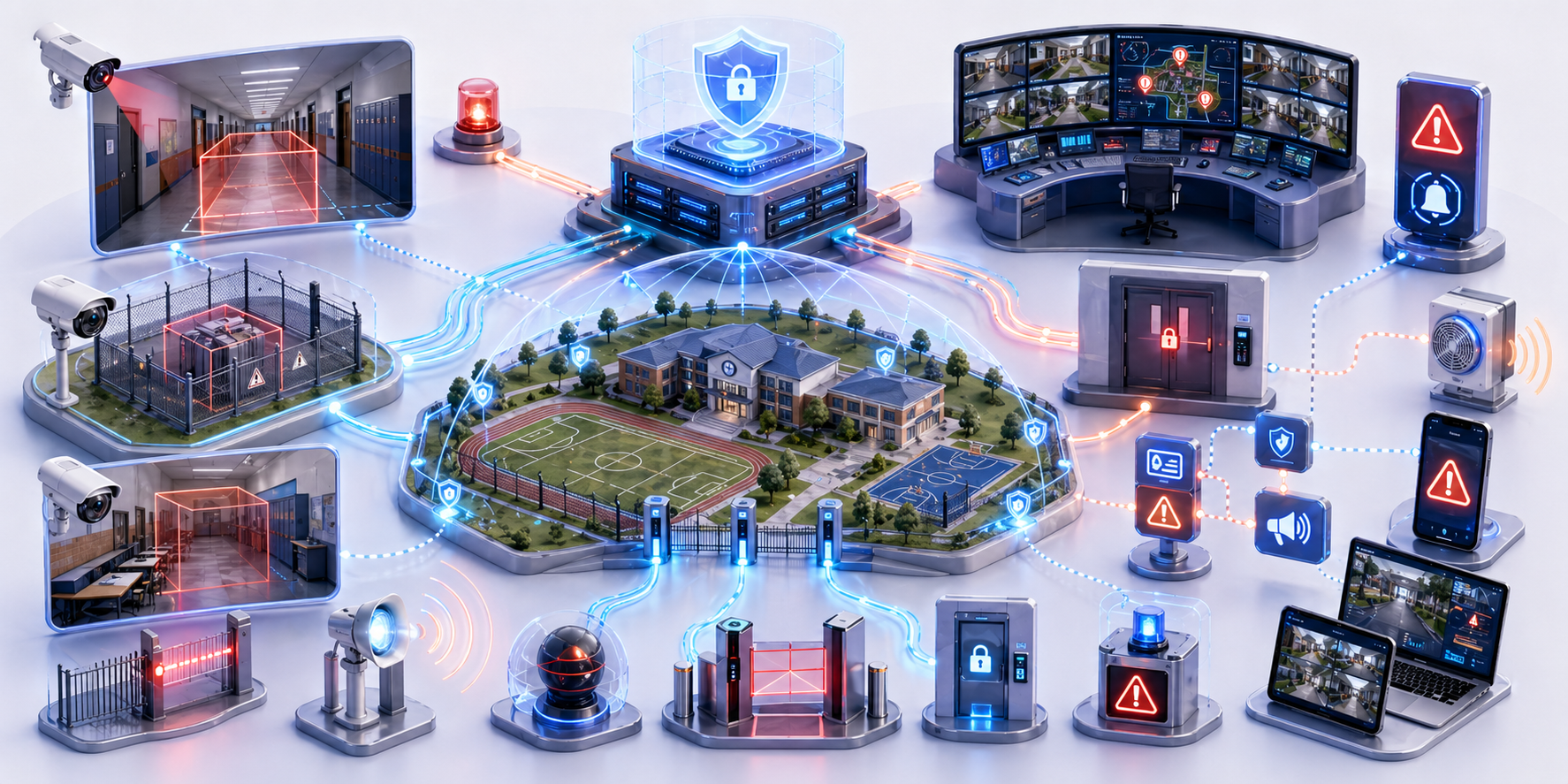
Clipxu combines Smart Location, AI video analytics, and Policy Manager rules to detect restricted-zone breaches and execute predefined responses automatically.
How it works
Administrators define protected zones and schedules, the platform monitors those conditions continuously, and policy-driven actions are triggered when a breach is detected.
Deployment model
Applicable to indoor or outdoor restricted areas using monitored zones, schedules, and connected alerting or deterrence devices.
Key capabilities
- Zone-based monitoring tied to time and authorization rules
- Immediate alerts to security staff and administrators
- Automatic activation of deterrence devices such as lights or audio
- Event recording and secure metadata logging for audit and evidence
Ideal environments
Overview
Clipxu is designed to proactively monitor restricted areas across school premises, ensuring that unauthorized presence is detected quickly and that the right actions are executed automatically.
Configuration and operation
1. Zone setup and scheduling
Administrators use the Policy Manager to define restricted zones such as server rooms, storage areas, or labs, then apply date- and time-based access restrictions.
2. Detection of unauthorized presence
The Smart Location module, together with AI video analytics and identification methods such as wearables or sensors, monitors these zones continuously. When someone is detected outside permitted conditions and is not authorized, the system classifies the event as a breach.
3. Automated alert protocol
When a breach is detected, Clipxu can:
- Send immediate alerts by SMS, push notification, or email
- Play a deterrent sound or warning message through connected audio systems
- Activate flashing lights or visual alerts inside the restricted zone
4. Event recording and logging
At the same time, the platform can record video footage, log the time and duration of the event, and store related metadata for review, auditing, or evidence handling.