
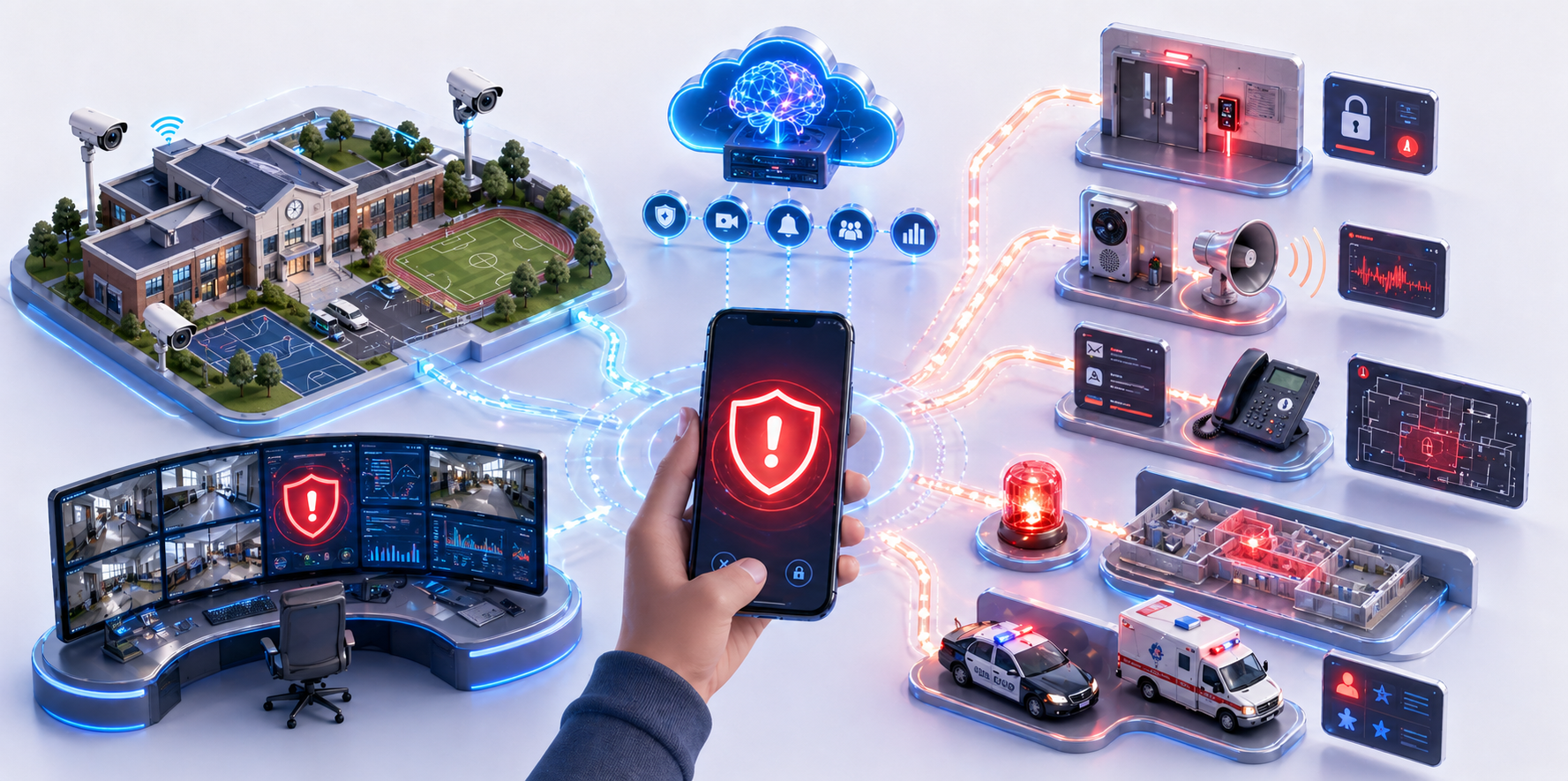
Discreet emergency activation from the Clipxu app with contextual alerts and policy-driven response options.
Why it matters
In high-risk situations, staff may need to request help without drawing attention or escalating the threat.
Clipxu solution
Clipxu provides a silent panic feature in the mobile app so authorized users can trigger a discreet emergency alert and linked safety protocols.
How it works
An authorized user activates the silent alert from the Clipxu app, which immediately shares context with predefined recipients and can launch automated response workflows.
Deployment model
Mobile app plus platform integrations for messaging, monitoring, and connected safety devices.
Key capabilities
- Stealth activation designed for high-risk situations
- Immediate alert dispatch to predefined recipients
- Location and time context included with the alert
- Can trigger broader protocols such as monitoring and door control
Ideal environments
Overview
The Silent Panic Button allows authorized users such as teachers, administrators, or security personnel to trigger an emergency alert discreetly, without drawing attention.
Key features
- Stealth activation through the Clipxu mobile app using a discreet tap or hidden command
- Immediate alert dispatch to school security staff, law enforcement, and emergency response teams
- Automatic context sharing including exact location, time of activation, and AI scan results when available
- No visual or audible cues on the device, helping the action remain unnoticed by people nearby
Smart protocol integration
Once triggered, the Silent Panic Button can activate a custom emergency workflow, including:
- Live monitoring of surrounding areas through AI-enhanced video feeds
- Locking doors in specific zones
- Tracking the location of students and staff